Every order goes to the right kitchen or bar by itself — on the phones and tablets you already have. POS with a floor plan, bookings from your website, stock and owner reports in one system, for one price per venue.
- Menu in 3 languages from a photo
- Thai, Russian, English
- No cut of your turnover
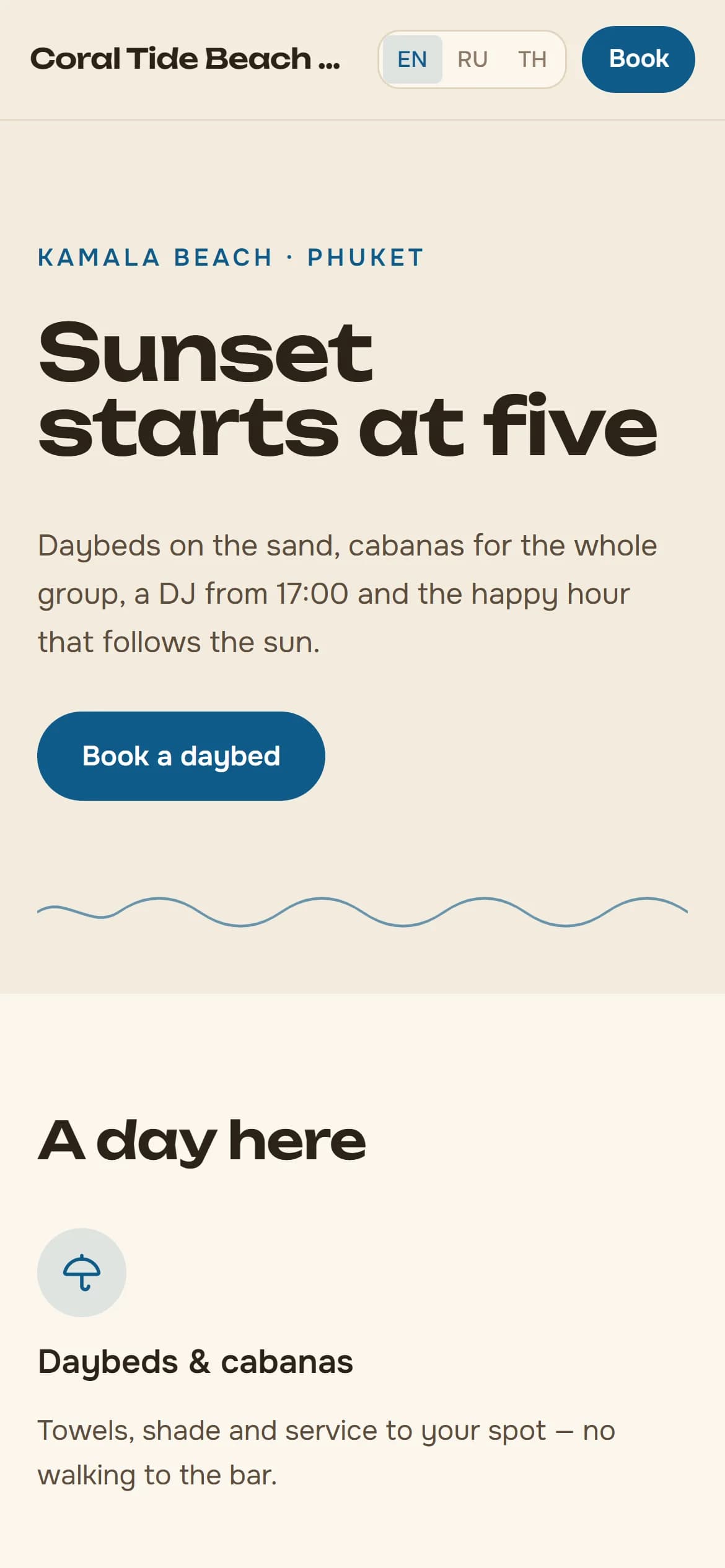
- Restaurants
- Beach clubs
- Day clubs
- Spas and massage
- Rooftop bars
- Bars and cafés
- Events
A day at your venue with Guesti
Bookings in the morning, tills and tables by day, kitchen and bars at the rush, the owner's numbers in the evening. One system for the whole day.
- 10:00Morning
Bookings come in from your website
Guests pick a date, a time and a spot on your venue's page. The host sees the booking right away, and the guest gets a confirmation on LINE or by email.
New booking · Cabana C6 · 20:15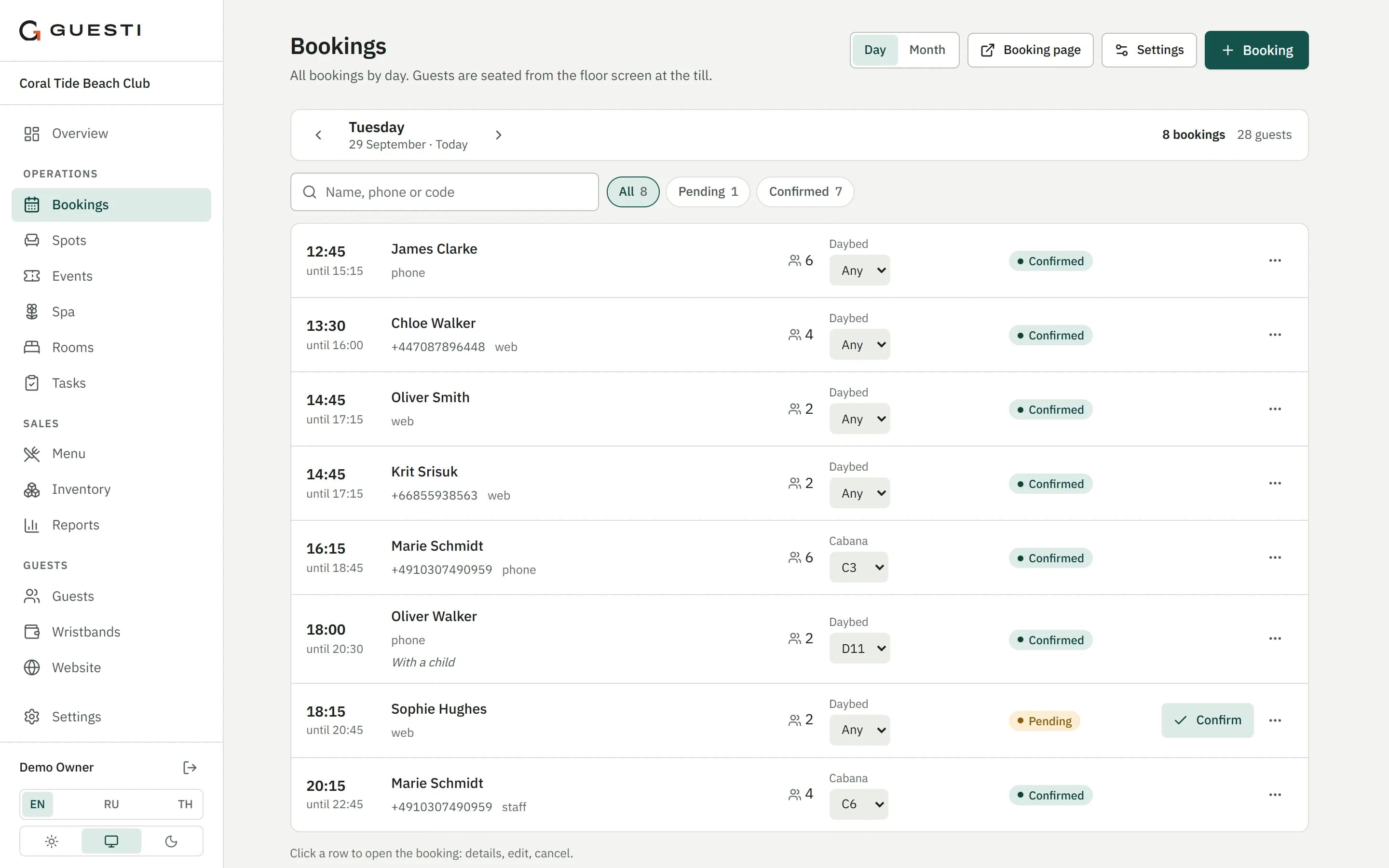
- 13:00Afternoon
Tap a spot to open a check
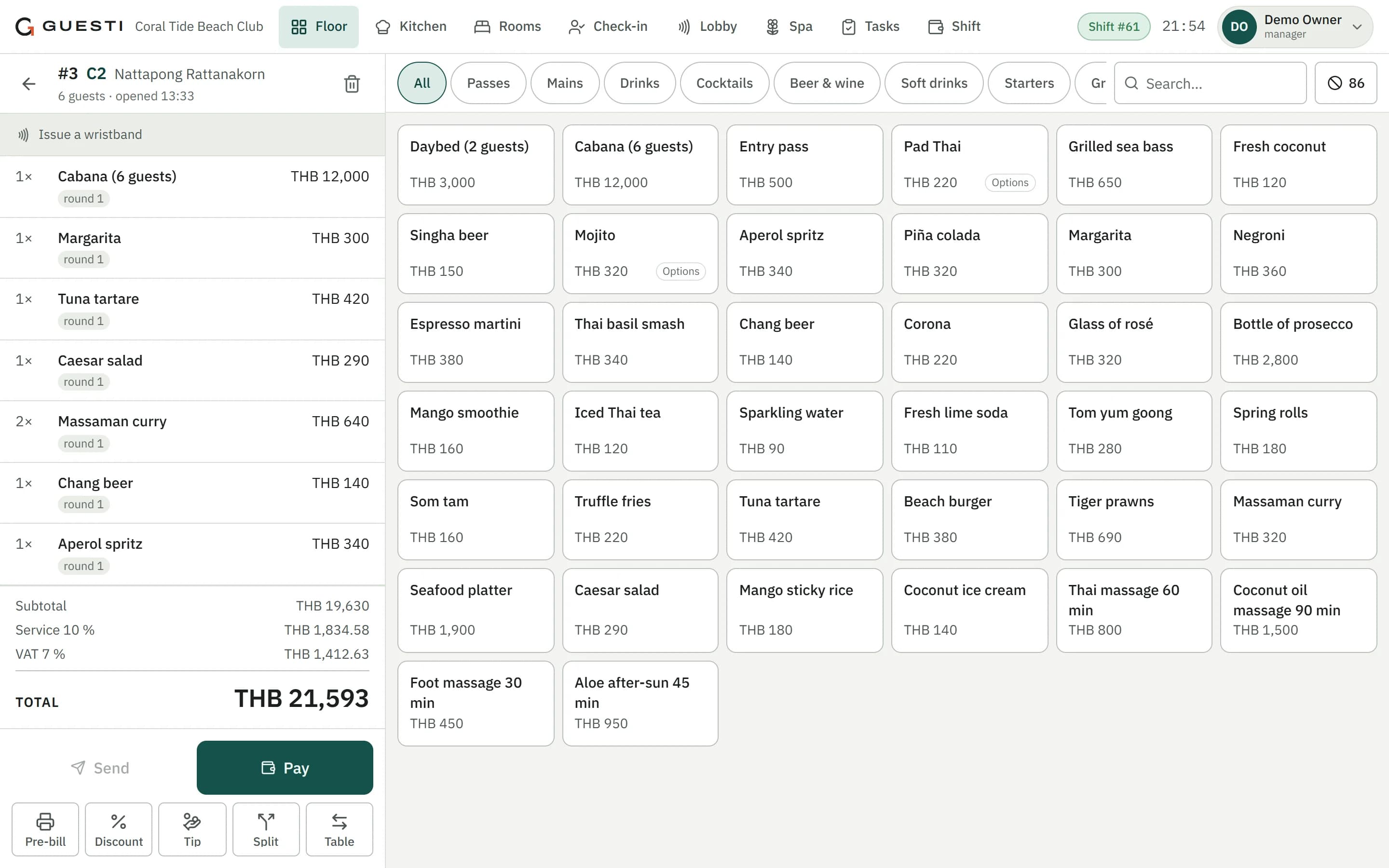
The server taps a table, lounger or cabana on the floor plan and the check is open. Every spot shows its total, the number of guests and how long they have been seated.
Check open · D4 · 2 guests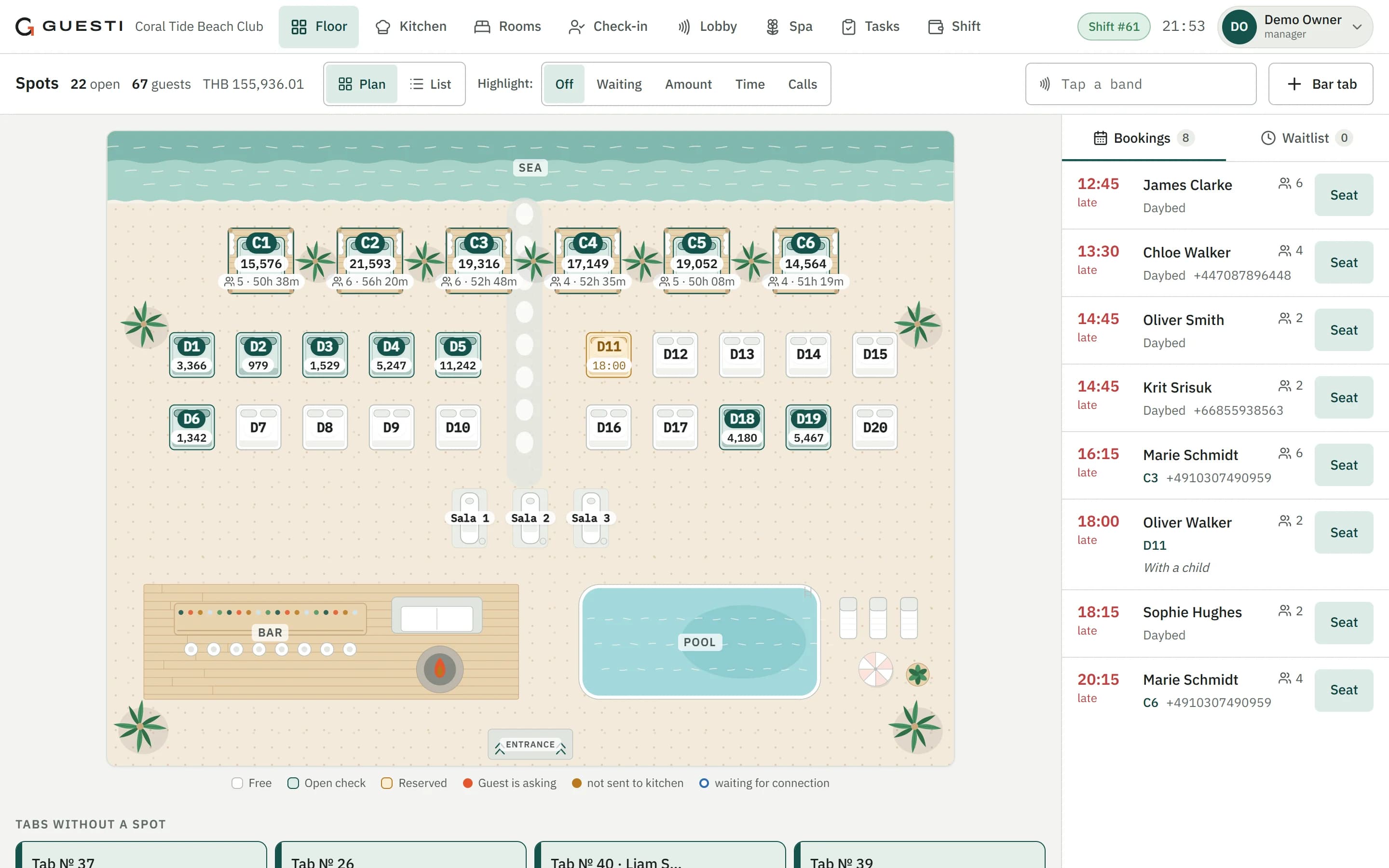
- 19:30Rush hour
Every order goes to the right screen
Hot food goes to the kitchen, cocktails to the nearest bar. When a station is overloaded, new orders move to the next one.
Beach bar: 2 mojitos ready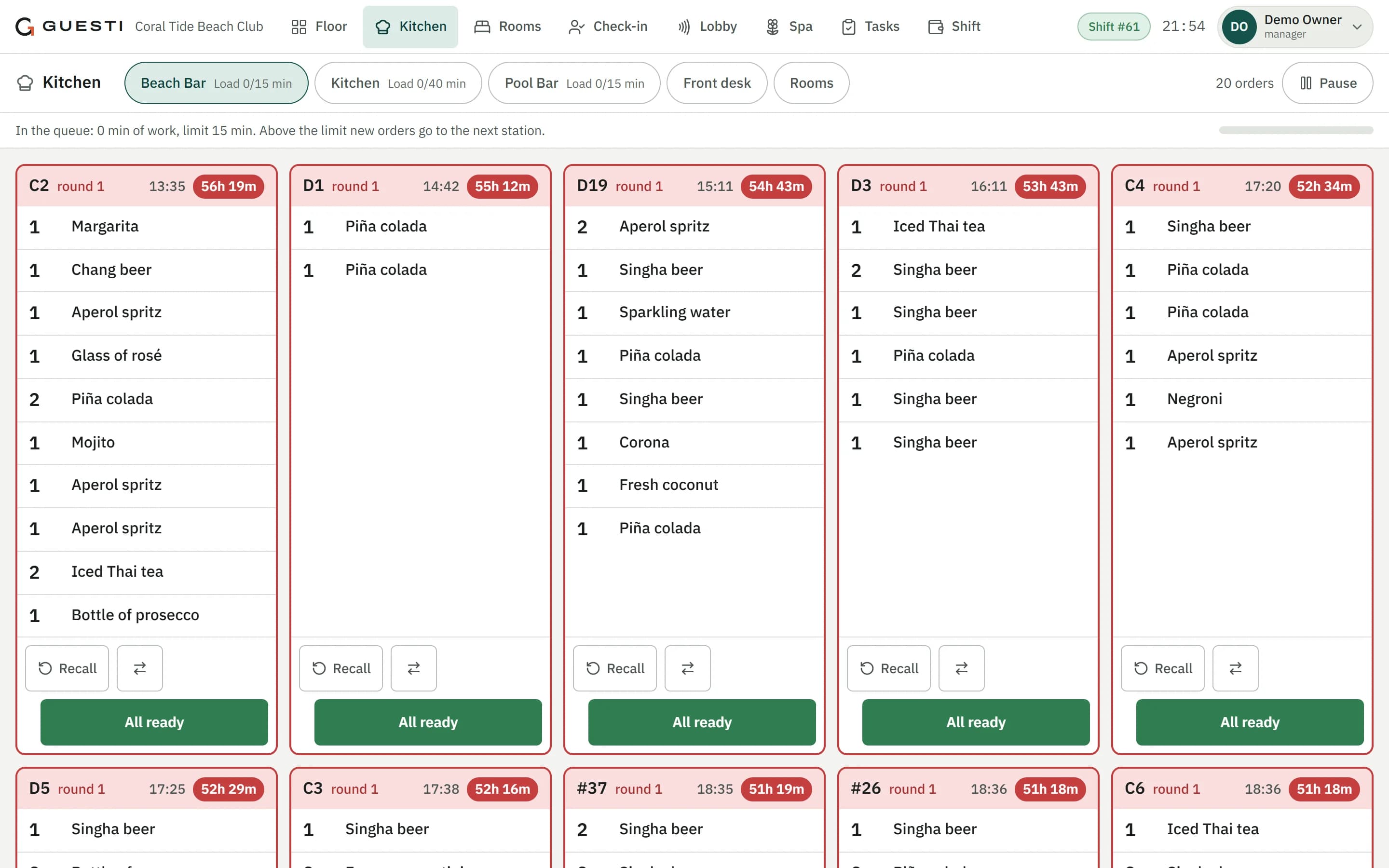
- 23:30Close
The owner sees how the day went
Each till closes its own shift. Revenue, average check, voids and discounts are in the reports — in the browser or in the Windows app.
Shifts closed · report ready
Your whole venue in one system
No more buying a POS from one company, bookings from another and stock from a third, then reconciling them. In Guesti everything works together, in one database.
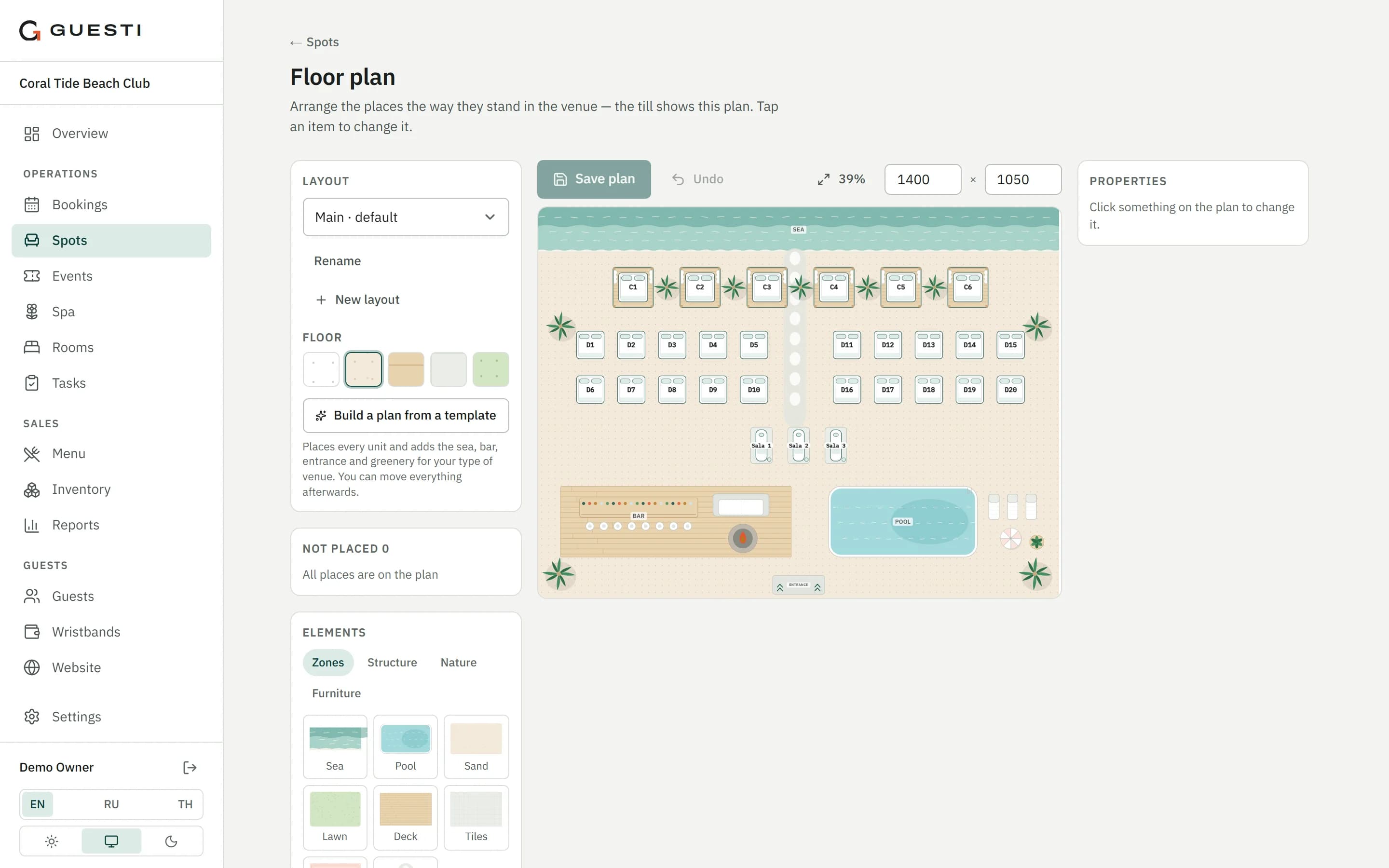
Floor plan
Tables, loungers, daybeds and cabanas laid out as they really are. Drag-and-drop editor and ready templates for your type of venue.
POS
Split a check evenly, by item or by any amounts. Cash, card on your own terminal, PromptPay QR, wristband or charge to room.
Kitchen and bars
An order screen for every station and printed kitchen tickets. An overloaded station hands new orders to the next one.
Bookings and website
A booking page and a widget for your website. No website? Build one from 12 ready-made blocks.
Guests order from their phone
The guest scans the QR code on the table: the menu and the check open in the browser, no app to install.
Servers work from a phone
The POS runs in the phone's browser: servers take guests' orders and send them straight to the kitchen.
Wristbands
Guests pay with a wristband at any bar. Family wallets, kids' wristbands, spending limits and rules for refunding the balance.
Stock and recipes
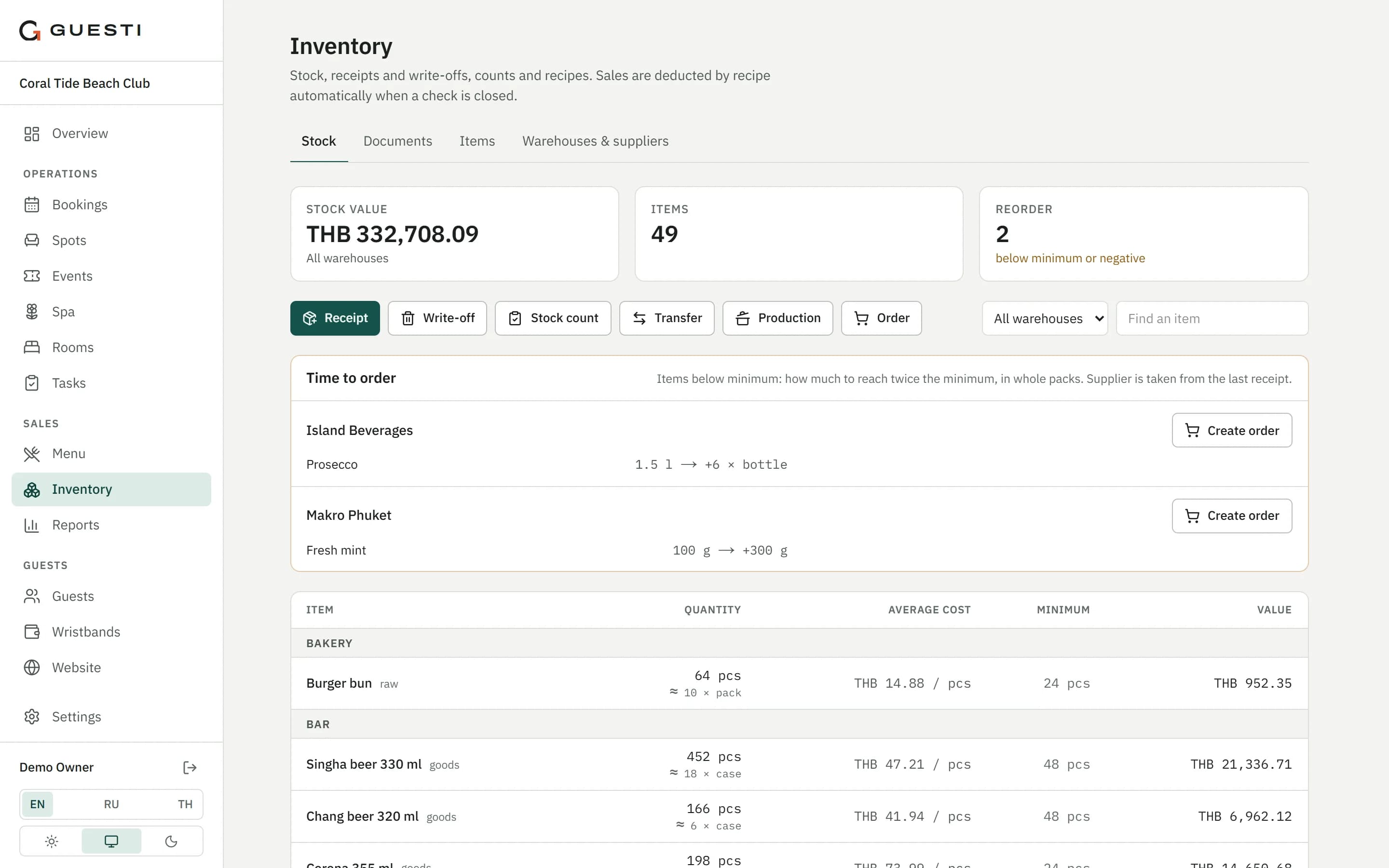
Sales deduct ingredients by recipe automatically. Cost of every dish and a list of what it's time to reorder.
Guests and LINE
One guest database: visits, spend, no-shows. Booking confirmations and reminders go out on LINE or by email.
Staff and control
Every employee has their own PIN. Discounts and voids above a limit need a manager's PIN and a reason.
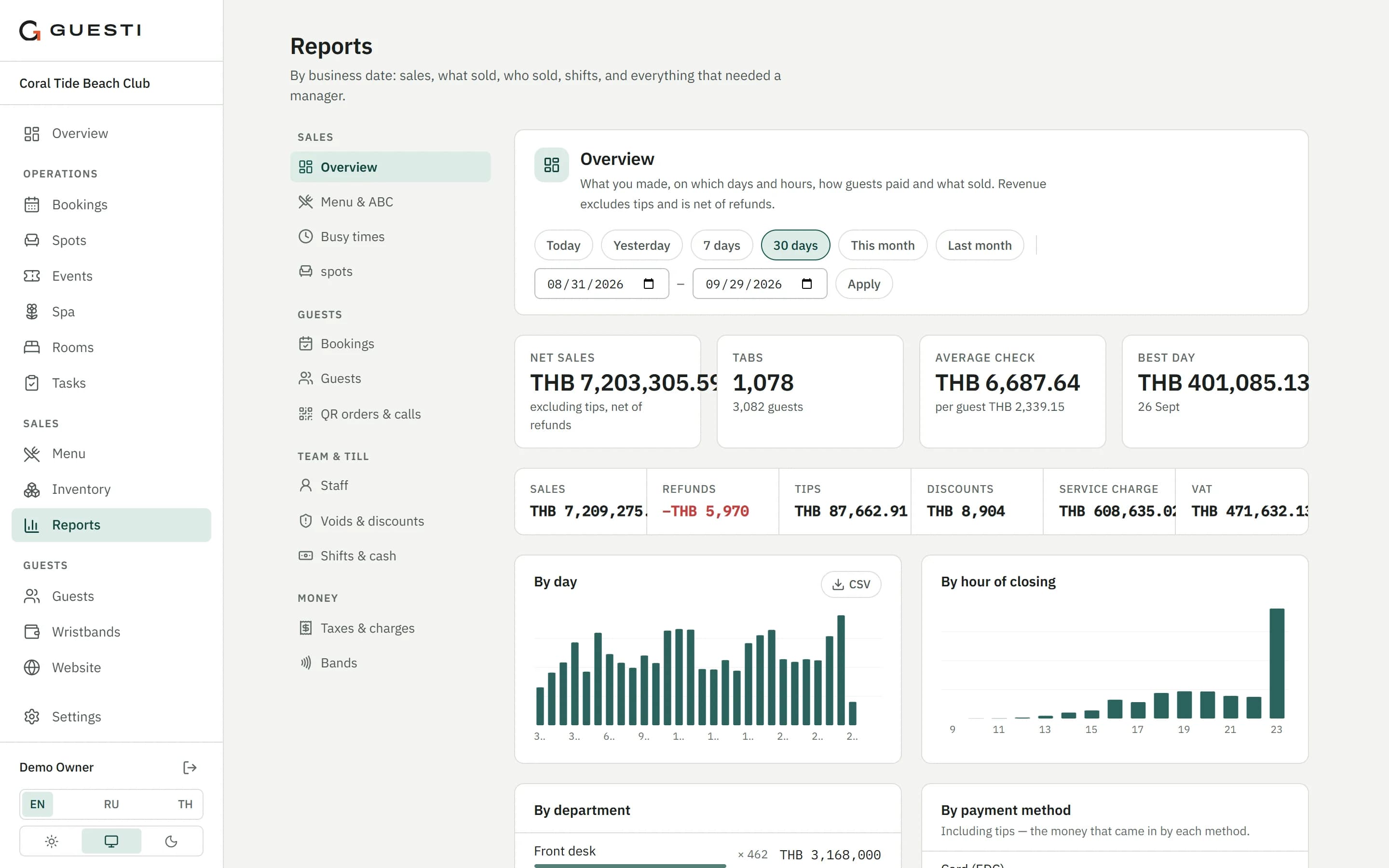
Owner reports
12 reports: sales, average check, busy hours, staff, voids and discounts. A file for your accountant in one click.
Spa
Therapists and treatment rooms, online booking from your website, commissions. Treatments go on the same check as the restaurant.
RoomsBasic version
Room chart, check-in and check-out, housekeeping from the housekeeper's phone. The day closes on one screen; bar and spa spend goes to the room.
Events
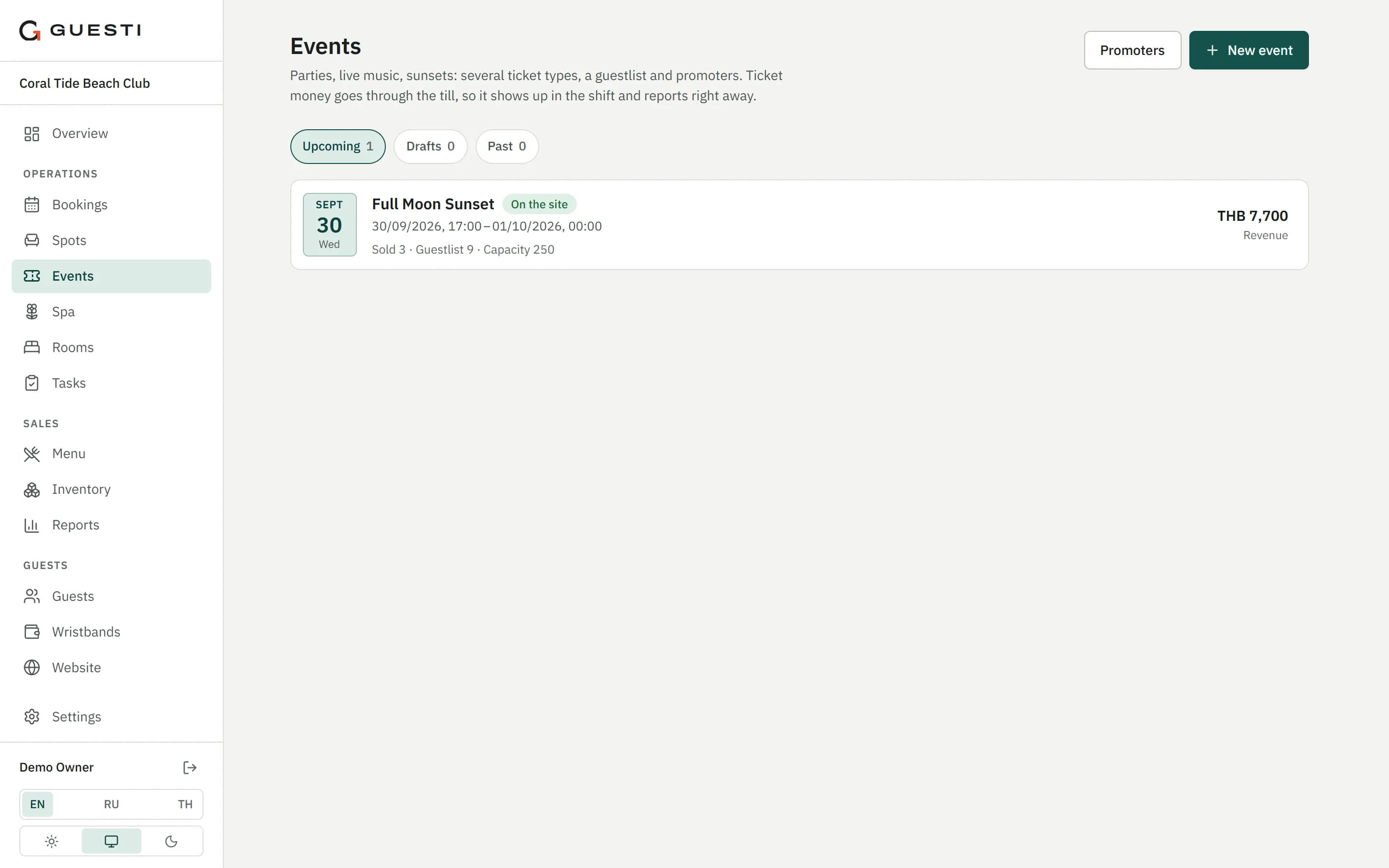
Tickets, guest list and promoters. QR entry at the door till, with the money going straight into the shift and reports.
Guesti in 25 seconds
A short film about how Guesti runs a venue, from the booking to the owner's report.
Guesti in detail
A POS your team understands on day one
Your venue looks on screen the way it does in real life: the sea, the bar, the pool, loungers and tables. The server taps a spot and the guest's check opens.
- Split a check evenly, by item or by any amounts; move and merge tables
- Cash, card on your own bank terminal, PromptPay QR, wristband or charge to room
- Every bar has its own cash drawer, its own shift and its own report
The kitchen sees the order instantly, stock updates itself
Every item goes to its own station: hot kitchen, bar, beach bar. The cook marks it ready and the server sees it on the POS.
- Orders go to the station that serves the guest's area
- Sales deduct ingredients by recipe, including prep items
- Cost and margin for every dish; a reorder list grouped by supplier
Guests order from their phone, servers accept on theirs
There's a QR code on the table or by the lounger. The guest opens the menu in the browser in English, Russian or Thai. No app to install.
See everything, even when you're not at the venue
Sales, average check, busy hours, staff performance, voids and discounts — 12 reports in the dashboard. A file for your accountant in one click.
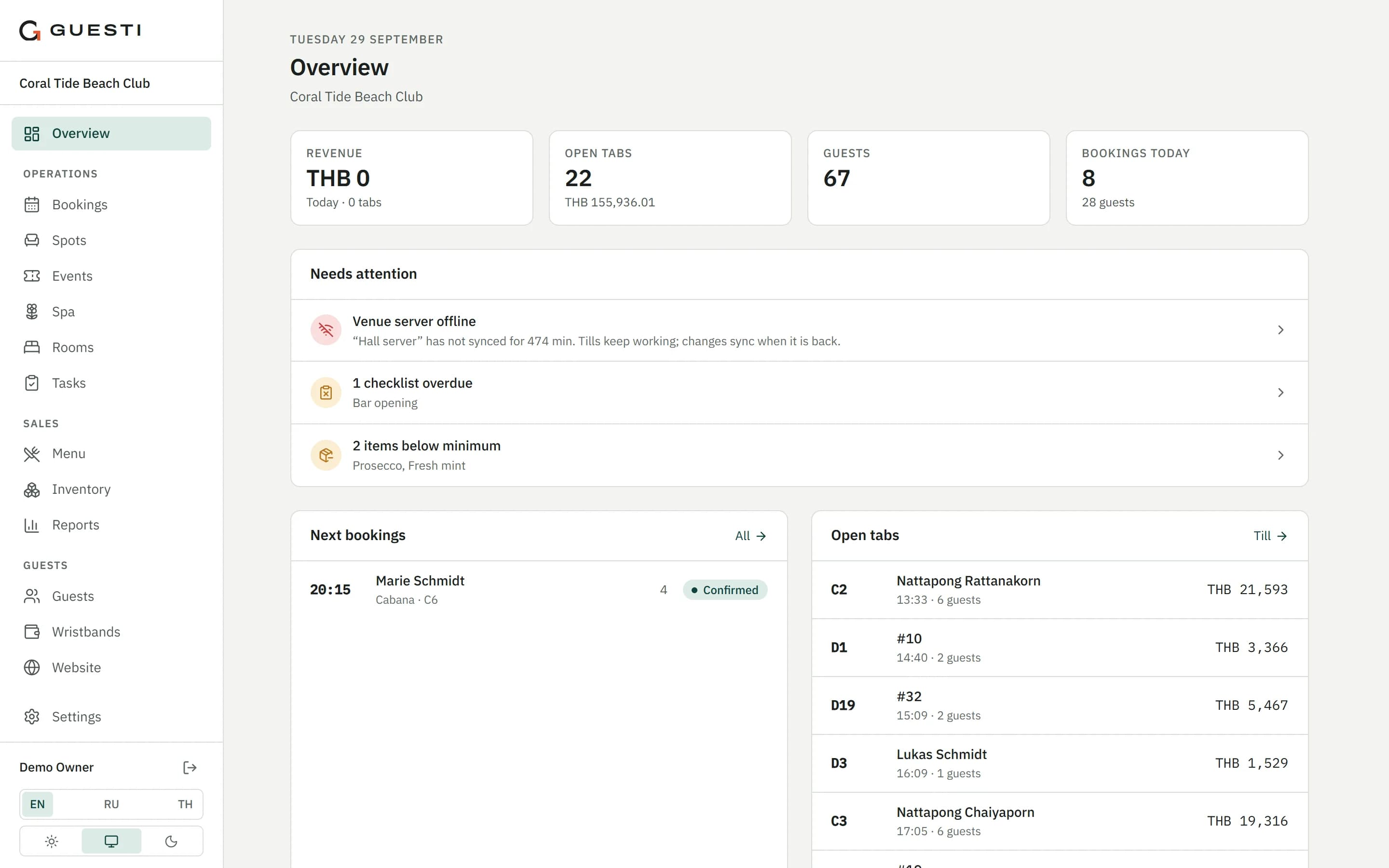
Spa, rooms and events in the same system
If you run more than a restaurant, you don't need another system. Treatments, stays and tickets land in the same checks, shifts and reports.
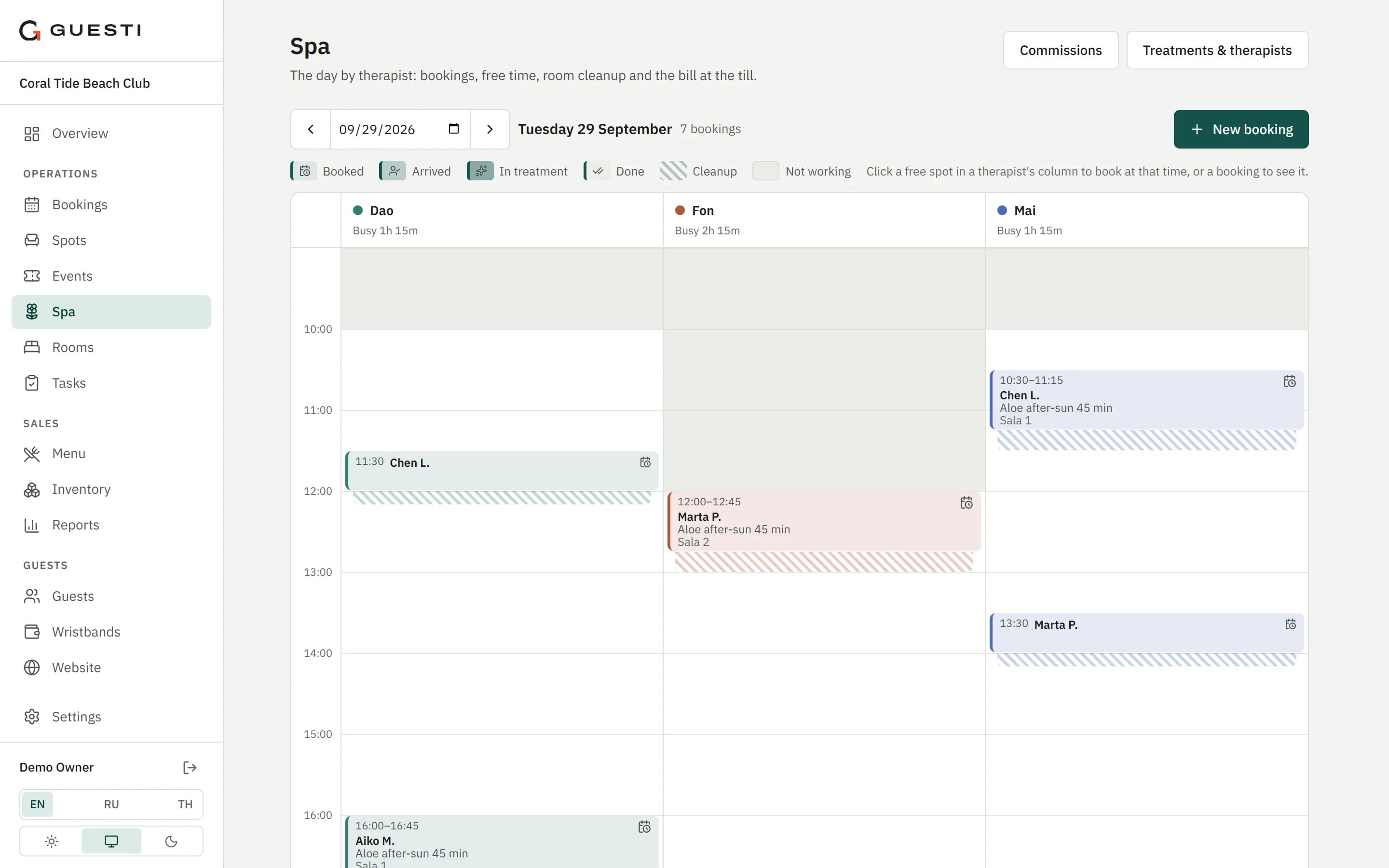
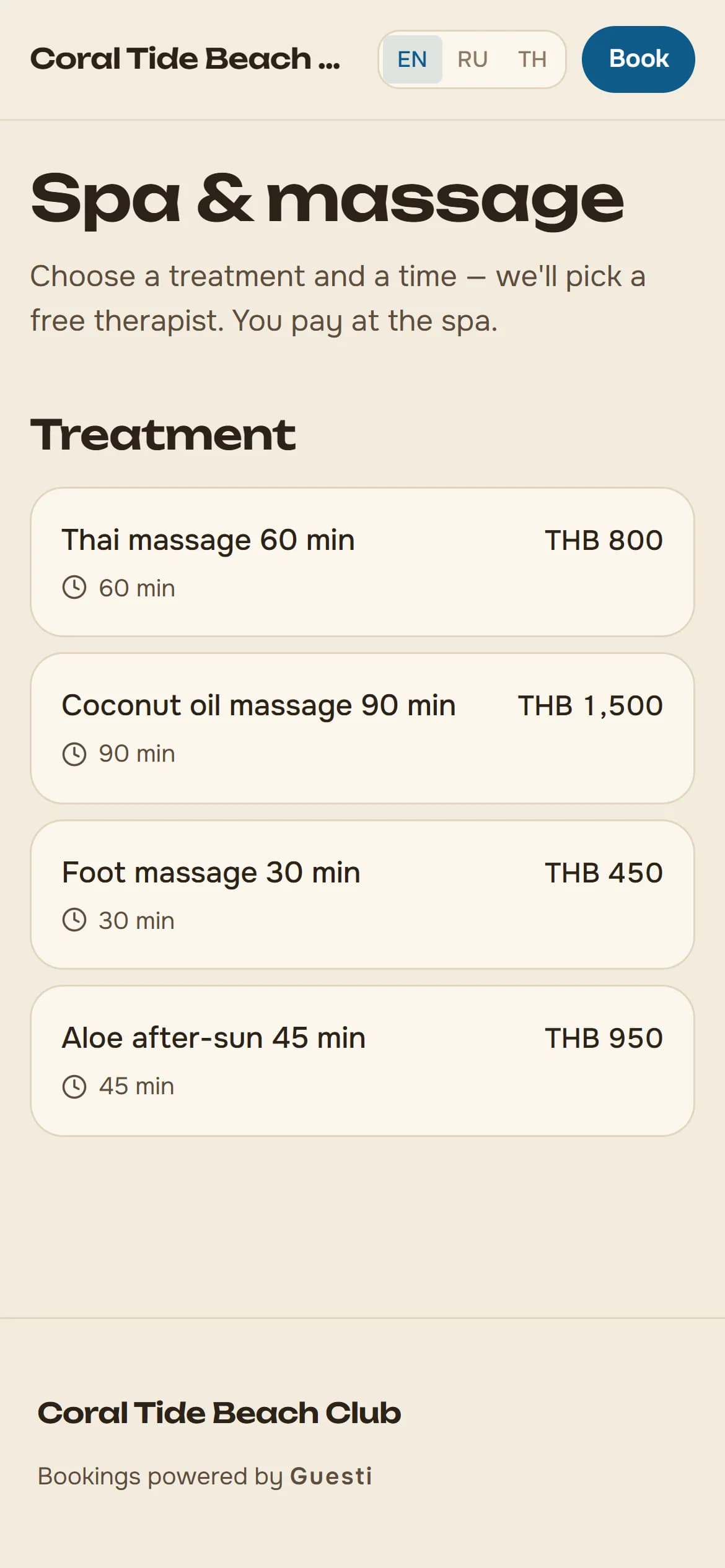
Spa
Therapists and treatment rooms, online booking from your website, commissions. The treatment goes on the same check as the restaurant.
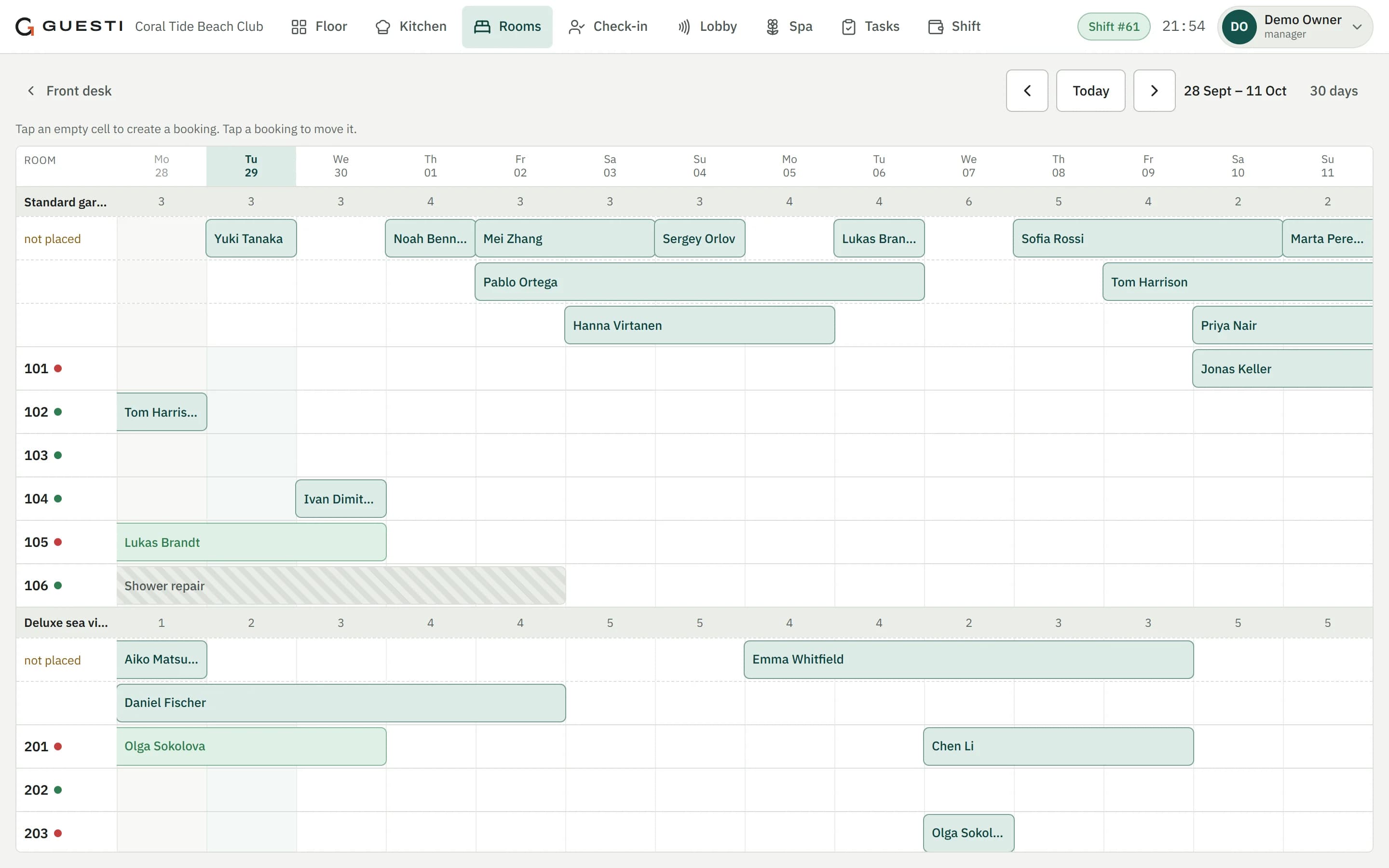
Rooms
Basic versionRoom chart, check-in and check-out, housekeeping from the housekeeper's phone. The day closes on one screen.
Not yet: TM30 foreigner registration and selling rooms through Booking and Agoda.
Events
Tickets, guest list and promoters. QR entry at the door till; the money lands in the shift and the reports right away.
Wristband to the room
Hotel guests pay with a wristband at any bar, and the spend goes to their room.
- Pool bar · wristband420 ฿
- Spa: Thai massage800 ฿
- Restaurant, dinner1 280 ฿
Six reasons to choose Guesti
We compared Guesti with the systems sold in Phuket: Wongnai POS (formerly FoodStory), Loyverse, iiko (now Syrve) and SevenRooms.
One system for the whole venue
POS, kitchen, stock, bookings, spa and rooms. SevenRooms only does bookings. Wongnai POS sells bookings and QR ordering as paid add-ons.
Orders from the server's and the guest's phone
Guests don't need to install an app. With Wongnai POS, QR ordering costs extra and the server app is Android-only.
Your menu from a photo, in three languages
Photograph your paper menu: items and prices are read in minutes, with names in English, Thai and Russian. Guests open it by QR in their own language.
Russian for you, Thai for your staff
Wongnai POS has no Russian; iiko's Thai is unconfirmed. Loyverse has both but no bookings.
Priced per venue, on ordinary hardware
iiko charges per till or 1.75 % of turnover. Wongnai POS runs only on its own terminals or an iPad.
A risk-free start
For 3–7 days Guesti runs next to your old POS. We are at your venue for the first weekend and on LINE after that.
What each system has
On the left, simple questions a venue owner asks. In the cells, in plain words: does the system have it or not.
All of this at once, in one system and for one price — only Guesti has it.
"No" means we didn't find it in the vendor's materials. Based on vendors' public materials, as of 29 Sep 2026.
One price for the whole venue
Pick the plan that fits your venue. No fee per till and no cut of your turnover.
- Menu from a photo in three languages
- Thai, Russian and English
- POS on the server's phone
- Owner reports
- Support on LINE from the team that built Guesti
Onboarding is 4 900 ฿ once: setup, menu import, printers, training. Free for the first 20 venues.
Prices per venue per month, excluding VAT. Card fees go to your bank, as they do now.
Not sure which plan fits? Book a demo and we'll help.A risk-free switch: your old POS keeps running until you're sure
For the first days Guesti works alongside your old POS. You switch the old one off only when you're confident.
- 1A call
We go through your concept: areas, bars, menu and hardware.
- 2Demo access for 2 days
Your staff try Guesti on a demo venue.
- 3A visit to your venue
We check your tills, printers and wristband reader.
- 4Setup in 1–2 days
Menu from a photo or from Excel, floor plan, staff and printers.
- 53–7 days side by side
Money still goes through your old POS — you take no risk.
- 6Switch over
Turn off the old POS. We stay on LINE.
Frequently asked questions
Send us photos of your menu through the demo form. We put it into Guesti in English, Thai and Russian and send you QR codes for your tables. Guests open the menu on their phone and can call a waiter or ask for the bill; your POS stays as it is. Free until 30 April 2027 for the first 20 venues. When you want guests to order from the table, that is the Pro plan.
Phones and tablets through the browser. A 58 or 80 mm receipt printer and any computer at the venue that runs our small print program: it sends receipts to network printers or to a printer connected to that computer. The wristband reader connects like a keyboard. The built-in printers of Sunmi and iMin terminals are not supported yet. We check your devices and printers on site during setup.
Each till keeps what your staff enter and sends it as soon as the connection is back; when an action needs the internet, the screen says so right away. Without internet, new orders don't reach the kitchen screens or the printers, and wristband payments, closing a shift and guests ordering from their own phone wait for the connection. Keep a backup connection ready, for example a phone hotspot.
Thai, Russian and English. Each employee picks their own language, and guests see the menu and messages in theirs. The receipt language is set per printer. The Thai translation is machine-made for now and hasn't been proofread by a native speaker yet.
Photograph your paper menu: Guesti reads the items and prices, and you check the list before it is added. Or copy the table from Excel or Google Sheets and paste it into Guesti. It first shows what will be created and only then applies it. Column headers can be in English, Russian or Thai. Seasonal price changes are one rule for the whole menu.
Every employee has their own PIN. POS roles: manager, cashier, server. Discounts and voids above a limit need a manager's PIN and a reason, and everything shows up in the Control report. Servers can work from their own phone: the POS opens in the browser.
On LINE, from the people who built Guesti. We are at your venue for the first weekend, and for the first days Guesti runs next to your old POS, so the switch carries no risk.
The price is per venue per month, excluding VAT: from 1 990 ฿ (Start) to 8 900 ฿ (Club). Onboarding is 4 900 ฿ once. For the first 20 venues onboarding and the first month are free; in return we ask for an honest review. You can try Guesti for 14 days on your own menu, and paying yearly saves 15 %. No fee per till and no cut of your turnover. Invoices arrive in your dashboard; pay by PromptPay or bank transfer.
Your data is yours: sales, items, taxes and journal entries export to Excel at any time. Each venue's data is kept separate from others at the database level.
Setup takes 1–2 days: menu, floor plan, staff and printers. Then for 3–7 days Guesti runs side by side with your old POS, and you turn the old one off once you're sure everything is fine.
We'd rather tell you upfront: there's no online card prepayment yet (cards go through your own bank terminal), no confirmations in WhatsApp or Telegram (LINE and email are there), no e-Tax invoices, no loyalty points or mailing campaigns, and no staff rota or tip sharing. For hotels, there's no TM30 foreigner registration and no selling rooms through Booking or Agoda.
See Guesti with your own menu
We'll show you Guesti on a demo venue with two months of history and answer your questions. It's free and there's no obligation.
14 days free. No fee per till and no cut of your turnover.
- 1We contact you by phone or LINE to agree on a time
- 2We show you the POS, kitchen, bookings and reports — online or at your venue
- 3If it fits, we set Guesti up with your menu and floor plan; the first 14 days are free